


What Does Domain Age Prove for Email?
An acquired aged domain can carry useful mail history, harmful history, or almost none that you can see. Registration age does not create deliverability. Before using the name for email, inspect reputation clues, remove leftover DNS, authenticate legitimate senders, and start with messages recipients expect.
Mailbox providers do not publish a rule that an older domain automatically reaches the inbox. Placement can depend on the domain, sending IP, authentication, complaint rate, bounce behavior, content, volume patterns, and recipient engagement. A previously abused name can be worse than a newly registered one. A clean-looking website history does not reveal every former campaign.
Treat email reputation as unknown until evidence says otherwise. Website vetting and mail vetting overlap, but they are not the same job. Continue site history in the domain-history workflow; this page covers what to check before the first send.
What Should You Check Before Sending?
Do this audit before connecting a sending platform or pointing MX at your own servers. Document what you find. Leftover records can be evidence of former use, or they can be an active hijack path.
- Review archives and former brands for mail-related pages, “contact us” addresses, phishing reports, and unrelated repurposing.
- Inspect current DNS for unexpected MX, SPF, DKIM, DMARC, BIMI, verification, forwarding, and mail-related subdomains.
- Run the domain and email blacklist checks. Public lists do not cover every provider reputation system.
- Search the domain and former brand for spam complaints, phishing write-ups, data breaches, and impersonation.
- Remove previous-owner DNS records and accounts only after you have copied them and confirmed they are not required for a live service you still need.
ICANN Lookup and RDAP show registrar and nameserver state. They do not show SPF or DKIM. Query the live zone for MX and TXT records, then compare those answers with what you intend to publish.
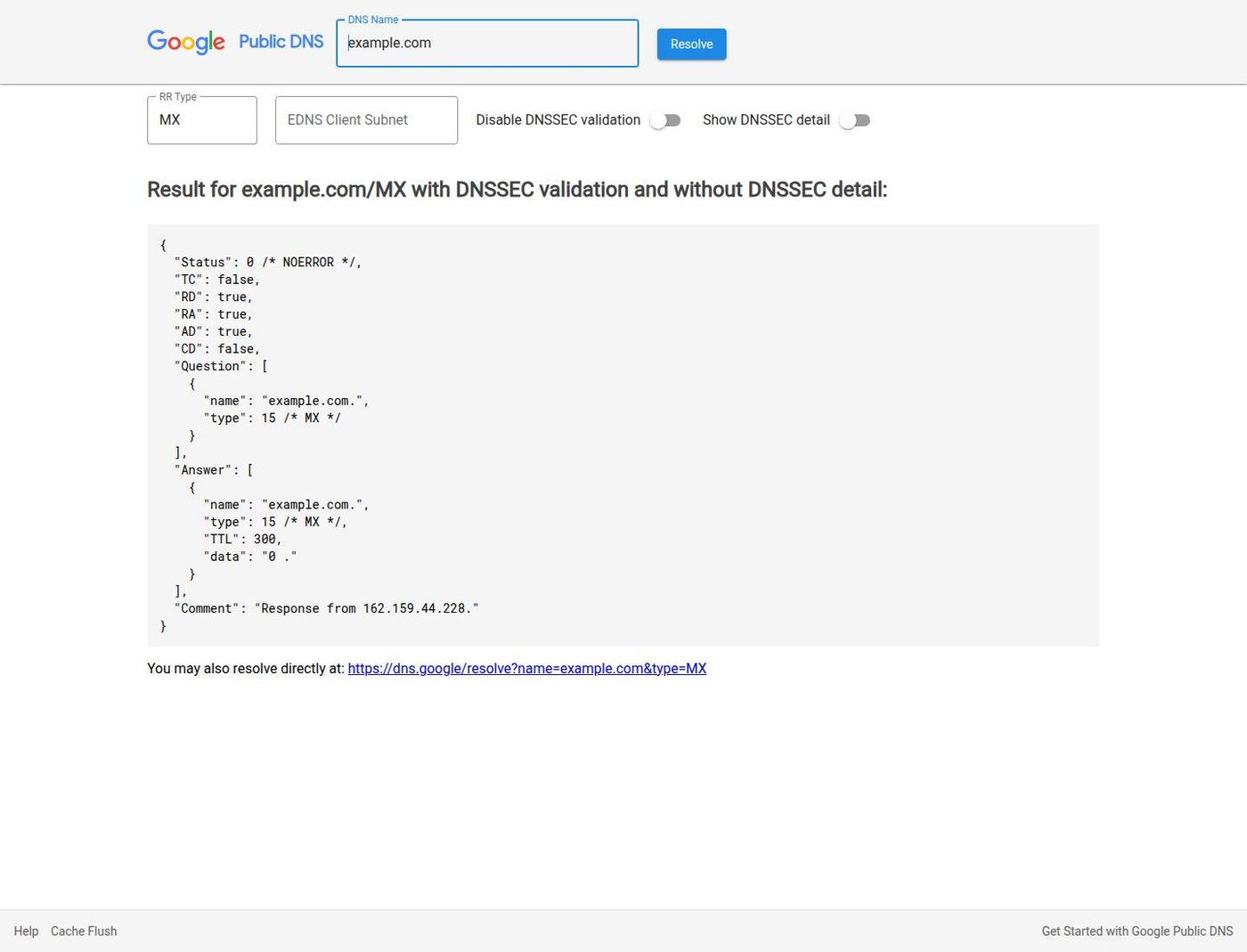
On example.com the MX answer is a null exchanger (0 .): the name is documented not to receive mail. An acquired domain often looks different—an old ESP include, a forwarding MX, or a verification TXT you did not create. Copy those answers before you publish your own. Then query TXT for SPF and DMARC the same way. A missing SPF record is information; two SPF records is a misconfiguration that can cause authentication to fail.
Unknown includes, DKIM selectors, or MX hosts that you do not control are stop conditions until explained. A parked or expired name can still have leftover mail routing. Changing nameservers without copying the old zone can drop both website and mail at once. Sequence that cutover in the first 90 days plan if you are also launching a site.
How Do You Authenticate Mail After Acquisition?
Authentication tells receiving systems which services may send as the domain and how to treat failures. Publish records that match the platforms you actually use. Do not copy a previous owner’s includes.
A TXT record that lists hosts allowed to send for the domain.
Check: One SPF record. Remove obsolete includes. Stay within DNS lookup limits.A selector in DNS that publishes the public key used to sign messages.
Check: Create keys on the current provider. Revoke selectors you do not control.A policy for the visible From domain, plus aggregate and optional failure reports.
Check: Start with reporting (p=none), then move enforcement after legitimate senders align.Access to DNS, registrar, mailbox, and sending platforms.
Check: 2FA, recovery contacts, least privilege, and former users removed.Google’s email sender guidelines and Yahoo’s sender best practices currently expect SPF, DKIM, DMARC, one-click unsubscribe on commercial mail, and complaint-rate limits. Those documents change. Read the live versions rather than a remembered checklist.
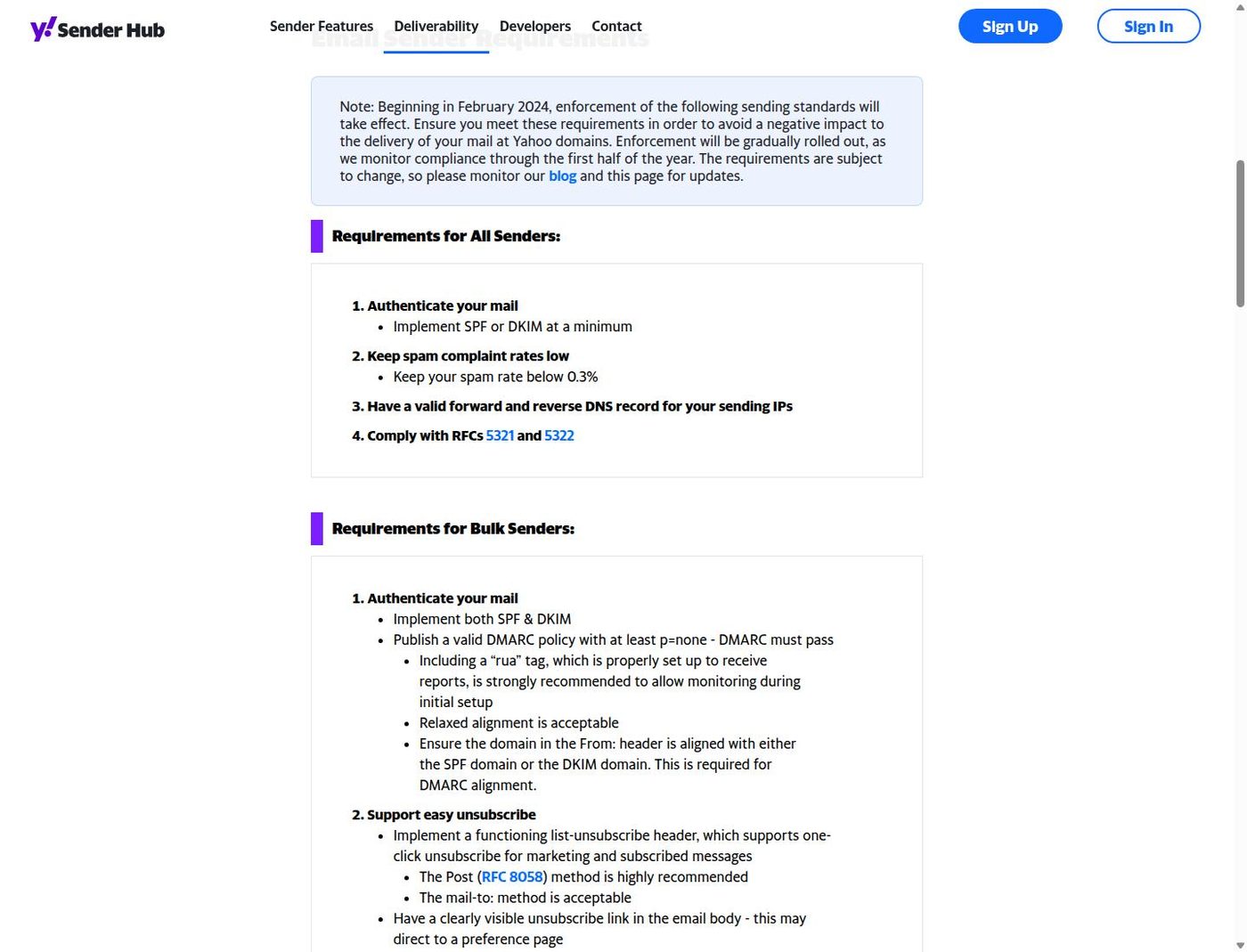
BIMI, MTA-STS, and TLS reporting can come later. They do not replace a working SPF/DKIM/DMARC set. If DMARC reports show unknown senders, treat that as active abuse or leftover authorization until you identify the source.
How Should You Start Sending After Acquisition?
Begin with mail that a real recipient asked for or that a transaction requires: password resets, order receipts, account notices. Watch bounces, complaints, and DMARC reports before any larger list.
- Send only to addresses with a lawful, documented relationship.
- Increase volume only when the use case needs it. Do not run artificial “warm-up” exchanges designed to fake engagement.
- Remove invalid addresses. Honor unsubscribe requests promptly.
- Pause and investigate sudden failures instead of switching to another acquired name.
- Keep marketing and transactional streams identifiable so a campaign error does not take down account mail.
This guide does not cover outreach copy, list buying, or inbox placement tricks. Those practices are outside the operational checks here and can violate provider rules and applicable law even on a long-registered domain.
Should You Use a Separate Sending Domain?
A dedicated sending hostname can limit the blast radius of a misconfigured campaign. It does not create permission to send unwanted mail. Providers can still associate related infrastructure, and a lookalike domain can confuse recipients or look like phishing.
If you separate streams, pick a name users can recognize, identify the sender clearly, and secure DNS and accounts to the same standard as the primary brand. Do not register deceptive variants of a third party’s mark. That is a legal issue, not a deliverability tactic. See trademark risk on expired names if the hostname resembles an active brand.
What Legal and Provider Rules Still Apply?
Commercial email rules depend on the sender, recipient, jurisdiction, relationship, and message. They can cover consent or another lawful basis, accurate identification, a physical postal address, unsubscribe mechanisms, recordkeeping, and personal-data processing.
For US commercial email, read the Federal Trade Commission’s CAN-SPAM compliance guide. Other regions have different rules. High-volume or cross-border sending needs advice for those jurisdictions. This page is operational information, not legal advice.
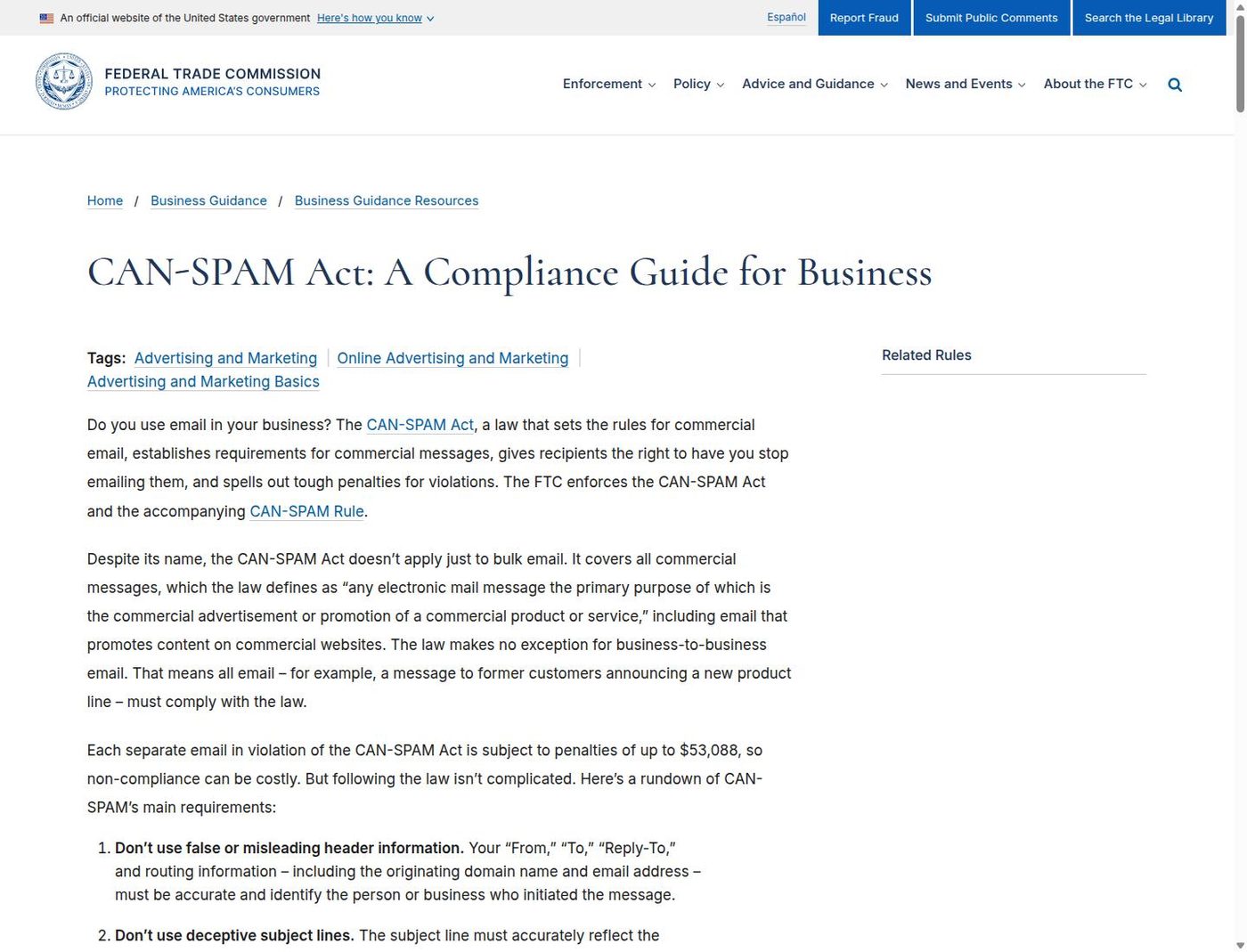
Provider policies sit beside the law. A message can be lawful and still be rejected if it fails authentication, complaint, or bulk-sender requirements. Re-read those requirements when you change ESP, volume, or From domain.
When Should You Pause or Walk Away?
Pause sending, or do not start, when the evidence says the name is unsafe for mail or the plan depends on hiding the sender.
- Unknown SPF includes, DKIM selectors, MX routes, or domain-verification records
- Security vendors or mailbox providers flag phishing or abuse against the name
- Legitimate test messages are rejected at a high rate
- DMARC reports show senders you did not authorize
- The domain closely resembles an active third-party brand
- The sending plan depends on hiding identity, skipping consent rules, or replacing burned domains
Walking away from email use is not the same as walking away from the domain. You can still publish a website and never send campaign mail. Combine that decision with the rest of domain vetting rather than treating inbox placement as a reason to keep a risky name.
Primary Sources
- Google: Email sender guidelines
- Yahoo: Sender best practices
- FTC: CAN-SPAM Act compliance guide for business
- Google Public DNS: example.com MX lookup